Text Tier List Maker
Paste any list of words, drag them into S–D tiers, and export a clean PNG. No images to hunt for, no login, no clutter — just type and rank.
Tip: hit + Add items and paste a whole list at once — one per line.
How it works
Paste your list
Drop in words one per line or comma-separated. Each becomes a draggable tile in the tray.
Drag to rank
Pull each tile up into S, A, B, C or D. Rename tiers and recolor them however you like.
Export a PNG
One click downloads a crisp, shareable image of your board — ready for the group chat.
What is My Text Tier List Maker
It is a free online tool that ranks words. You type names, ideas or concepts into rows — songs, foods, characters, programming languages, anything — and drag each one into a tier from S (best) down to D or F. No picture is uploaded at any point. That constraint is the whole point of text-based tier lists: some things have no useful image, and forcing one on them makes the ranking worse.
The text tier list maker creates a board from nothing but a list. There is no registration required, nothing to download and nothing to install — a simple tier list maker that runs online, works text only, and is free. No registration screen, no email confirmation, nothing between you and the tool. Your board lives in your browser, so you can come back and tweak it, and one click exports a shareable PNG.
As a word tier list maker it handles a list of any length — paste fifty items at once and they all land in the tray, ready to rank. Whether you call it a text based tier list maker or a tier list maker with words, it does the same thing: words in, ranked tiers out.
Here is the contrarian bit, and I say it as someone who built the image version first: pictures often make a ranking lazier. Faced with character art, people rank by how good the art looks. Strip it back to plain words and you are forced to judge the thing itself. A professional ranking of frameworks, priorities or categories is usually sharper without visuals, and it comes together easily — which is why plain-text boards produce amazing results on topics that would look absurd as a wall of thumbnails.
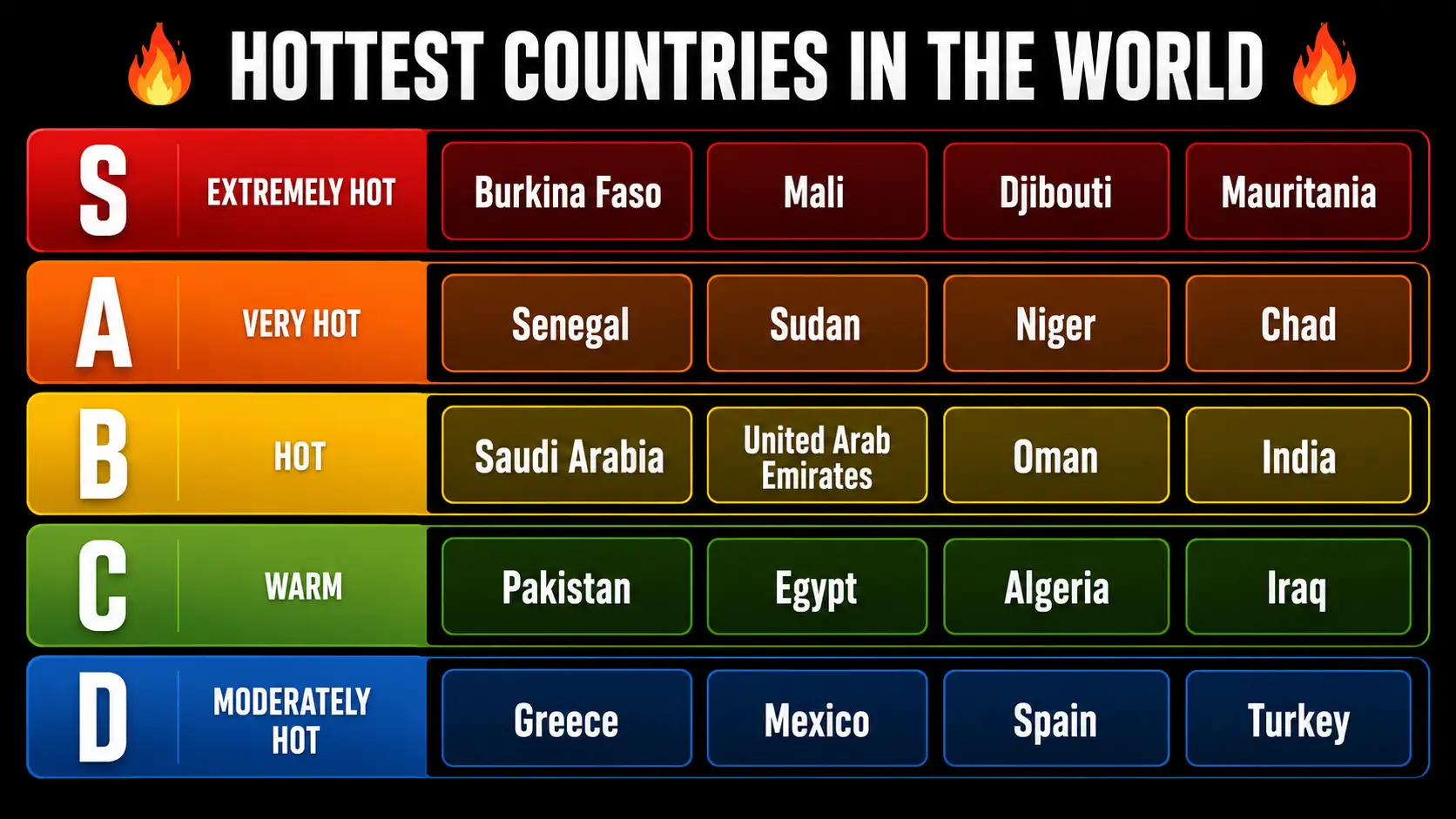
Example text tier lists
🍔 Fast food chains
💻 Languages
🎬 Movies
Built for words, not just images
Text-Based Ranking
The platform is built for text-based ranking rather than adapted to it. Text items behave as first-class tiles, so abstract concepts — management styles, ideas, categories, product names — sit perfectly in a row without a placeholder graphic standing in for them. You create as many unlimited tier lists as you want; nothing counts them, and unlimited means what it says. If you later decide the topic wants images after all, the image board is one click away — but most word-based tier lists never need it.
Multiple Formats
A word is not a square, so the text box adapts. Five text box shapes are available — square, landscape, portrait, round and ultrawide — and swapping between these multiple formats changes how much room each label gets. Short labels look right in round or square tiles; long phrases like "Continuous Integration" need the wider formats or they wrap awkwardly. Choosing the different shape for the job gives you complete control over legibility, which matters far more in a text board than in an image one.
Instant Creation
There are no file uploads anywhere in this flow, and removing that single step changes the feel of the tool completely. The quick text entry system lets you type a list — or paste one straight out of a document — and every line becomes a tile. Instant creation is not marketing here; you start creating the moment the page loads, add items in a single field, and the board fills instantly. Text entry that quick means you can build a board mid-conversation, which is exactly when most rankings actually get made.
Why Choose My Text Tier List Maker
Most ranking sites treat words as a downgrade — a fallback for when you have no picture. This text tier list maker treats them as the primary case, which is why the professional features below are aimed at typing speed and legibility rather than image handling. That focus is what makes it the most versatile option I know of for text-based tier lists: you create boards easily, the output looks professional, and the results are genuinely amazing on topics that images would only clutter. Versatile in the useful sense — one tool, many subjects.
Quick Entry System
The quick entry system is deliberately dull: an input system with one field. Type a label, click +, and the instant addition puts it in the tray immediately. To add items in bulk you paste several lines at once and each becomes its own tile. A fast input system matters more than it sounds — if entering twenty items is tedious, people abandon the board before they rank anything. You type text, hit +, keep going.
Multiple Format Options
Multiple format options exist because content style varies wildly. Single words sit perfectly in a square or round tile. Job titles and feature names want landscape. Full sentences need the wide ultrawide box, which is roughly four times as wide as it is tall. Switching between the multiple formats that are available takes one dropdown, and picking the shape that matches your labels is the difference between a readable board and a grid of truncated words. These formats apply across the whole board at once.
Intuitive Drag & Drop
The drag and drop interface is where a ranking actually happens, so it had to be smooth rather than merely functional. Text items pick up and drop into tiers with no lag and no snapping oddities, and you can organize a whole row effortlessly by dragging tiles past each other. Intuitive drag & drop also means reversible: nothing is committed, so moving an item back costs nothing. The features around the interface — undo, redo, a one-click reset — exist so people experiment instead of agonising over the first placement.
Efficient Library Management
Efficient library management sounds grand for what it is: the tray holds every tile you have not placed yet, and it organizes them in the order you typed them. You add more at any point, delete a tile you no longer want, and multi-select several at once to move them together. Those easy management tools keep a forty-item board manageable — handling text entries in batches is how you organize a long list efficiently instead of dragging forty text items one at a time. The library is just a staging area, but it is the part you use most.
Professional Customization
Professional customization gives you full control over how the finished board reads. Themes set the palette in one click, backgrounds change the canvas behind the rows, titles label the whole thing, and per-row colors let you break the theme where it matters. The point of that customization is not decoration — text tier lists live or die on contrast, and a board you create for a slide deck needs different treatment from one going into a dark forum thread. Done right the result is professional-looking without any design work.
Easy Export & Share
Easy export & share means one button and a clean file. The export renders at double scale so you get high-quality images that stay crisp when someone opens them full screen, and the download lands with no watermarks of mine anywhere on it. Your creations are yours: easy sharing to a thread, a chat or a deck, with no branding to crop out first. If you want a watermark of your own, that is a setting — watermarks appear only when you ask for them, and the exported images are otherwise untouched. Straightforward sharing is the whole reason people make these.
Who uses the text tier list maker
Hundreds of people now use this tool, and the text board attracts a noticeably different crowd from the image one. Where picture boards pull in gaming communities, plain words pull in professionals — people ranking things that were never going to have artwork.
A business consultant ranking delivery models, a team lead sorting project phases by risk, someone weighing priorities before a planning session — these boards are decision aids rather than content. A YouTube content creator making concept ranking videos is the other common case: abstract topics where a thumbnail of text reads better on screen than a collage. Academic and market research turns up too, usually ranking concepts or approaches rather than products.
What those users have in common is impatience, and the features they lean on reflect that. Batch operations and multi-select features exist because moving fifteen tiles individually wastes time nobody has. Custom labels and unlimited tiers matter because a five-row S–D scale rarely fits a real business question — you might need three bands or nine. Drag & drop has to stay smooth when a board gets crowded, and the export quality has to hold up when a board is projected in front of team members rather than posted at thumbnail size.
Being a free online tool with no watermarks matters more in a work context than a hobby one — a watermarked board is not going into a client deck. It is completely free, which removes the awkward step of expensing something to rank everything on a whiteboard. That combination is what makes it a better choice than a slide template for this kind of work, and a great tool to reach for when a discussion stalls: multiple people can argue over one board, you save time that would have gone into formatting, and you create something concrete to react to. If you want to join them, there is nothing to sign up for — open the board above and start typing.
What you can rank with a text tier list
The short answer is that if you can list it, you can rank it. Words work for the topics that were never going to have artwork, which is most of them once you get past game characters.
Games. Rank characters, weapons and maps, or sort a gacha roster before you spend anything. Fighting games and shooters get the most argued-over boards, and a video game tier list is still the format most people picture first.
Food and drink. Pizza toppings, fast-food chains, snacks, coffee orders — the boards that exist purely to settle the debate. Text is often better here than pictures, because a chain name reads faster than its logo. There are ready-made boards for fast food, snacks and coffee if you would rather not type them out.
Screen and sound. Rank a franchise, one director's films, or every season of a show. On the music side people rank albums, a genre's best tracks, festival lineups, or each artist they have actually listened to properly.
Sports. NFL teams, draft prospects, league players, and the GOAT debates that never resolve. A sports tier list is one of the few places where writing the names out is genuinely quicker than finding crests — though there is an NFL teams board ready if you want one.
Everything else. Classroom rewards, office snacks, vacation spots, dog breeds, or any list of things you and someone else disagree about. Plenty of boards here are decision aids that never get shared with anyone.
Setting up the tiers
The board opens on the classic S-F rows, which is the ranking scale most people already know — S at the top, then A, B, C and D descending. That default is there so you can start immediately, not because you are stuck with it.
Every row is yours to change. Edit the label text in each row to say what you actually mean — B tier can become "solid pick", F tier can become "never again" — give each one custom colors, add rows above or below, or delete ones you are not using. Drag and drop to rank works between tiers as well as inside them, so moving an item from one labeled tier to another is a single drag. Nothing is locked in: keep editing after you export, and export again.
You can rename any tier by clicking its label, change the tier colours, add new rows, and delete the ones you do not need. If a five-point scale is wrong for what you are ranking, cut it to three. If you want a row above S, add one.
Placing items is drag-and-drop on a desktop and tap-to-place on a phone. Drop each item into the row you want, move things around as you change your mind, and reorder within a tier when the order inside a row matters too. The board updates instantly, so there is no save step to remember. Most boards take about a minute.
Text Tier List Maker — Frequently Asked Questions
What is text tier list maker and how does it differ from image tier lists?+
It is a tool where you type items instead of uploading pictures. You add text items — names, ideas, abstract concepts, categories — then drag to rank them into rows. The difference from image tier lists is what you can honestly rank: artwork pushes you to judge the picture, while plain words make you judge the thing. Anything without a natural image ranks better here.
How do I add text items using text tier list maker?+
A simple process. Open the input field, type your text, and click + for each entry — or paste several lines at once and every line becomes its own tile. New items land in the library tray, and you drag each one into the tiers where it belongs. That is the whole ranking flow: type, add, drag.
What text formats does text tier list maker support?+
Five text box formats are available: square, landscape, portrait, round and ultrawide. Square and round are 1:1, landscape is a little over 2:1, and the wide ultrawide box is roughly 4:1 for long labels. There are no strict 16:9 or 3:1 presets — the five shapes cover short words through full sentences, and you pick whichever fits your content best.
Can I customize my text tier list maker appearance?+
Yes, with full customization. Change tier labels, themes, backgrounds, colors and titles, switch between light and dark palettes, and add your own logos, copyright text or watermarks if a board is going somewhere public. That is complete visual control over the appearance — the light/dark choice alone decides whether a board reads well in a slide deck or a forum post.
Is text tier list maker free to use?+
Completely free, with no registration required. You can create unlimited text tier lists, and the exports carry no watermarks or branding of mine. There is no paid tier holding features back — unlimited boards, free to use, no registration, no watermarks.
Can I save and share text tier list maker creations?+
Yes. Export produces high-quality PNG images you can save and reuse, which makes sharing straightforward — drop them into social media posts, forums, or presentations without anything to crop out first. Because your creations are plain images, they survive being reposted anywhere.
Does the text tier list maker work on mobile devices?+
Yes. It is fully responsive and optimized for mobile phones, tablets and other touch devices, and the drag and drop interface works the same with a finger as with a cursor. On mobile devices the board works best in landscape, and there is a prompt suggesting it — more horizontal room means fewer mis-drops.
Is my data safe and private when using text tier list maker?+
Yes, by design. The text tier list maker runs in your browser: your text items are processed locally on your device, with no data uploaded to my servers, so nothing is ever stored by me. Tier lists you build are saved in your own browser so they are waiting next time. That is complete privacy through structure rather than a promise — the strongest security posture is not receiving your data at all.
Does everything work the same on desktop and mobile?+
Very nearly. Extensive testing runs across desktop browsers on both a Windows computer and a Mac as well as phones and tablets, and every feature — including the background system — is supported on mobile devices. Proper rendering of the exported image is the part that gets tested hardest, and where bugs appear on a particular mobile setup they get fixed rather than hidden. If something misbehaves on your device, email me.
What is a tier list?+
A tier list sorts items into labelled rows instead of one long ordered list, usually running S at the top through A, B, C and D. Everything in the same row is treated as roughly equal, which is why it is quicker than ranking things one to twenty.
How do I make a tier list?+
Type your items into the board above, then drag them into the rows where you think they belong. Rename the tiers or change their colours if the defaults do not fit, and export a PNG when you are happy. It takes about a minute and there is nothing to install.
Can I add, rename or delete tiers?+
Yes. The board starts on the classic S-F rows, but you can rename any tier, recolour it, add new rows, or delete the ones you are not using. The scale is yours to set.
Can I make a tier list in Google Sheets?+
You can approximate one with a table and coloured rows, but you have to build the grid, size every cell and move text by cut-and-paste. A purpose-built board gives you drag-and-drop, a proper ranking scale and a PNG export without any of that setup.
Tier List Maker is an independent tool. Item names you enter are your own; we don't claim ownership of any brand, character, or trademark you rank.